


Wi-Fi 7 is the latest leap in wireless technology. It is designed for the way organisations work today: more devices, more cloud services, more video, more data moving across the network at the same time.
It offers faster speeds, stronger connections and better performance in busy environments. But it also comes with a cost. The equipment is still new, early adopters are only just deploying it, and upgrading too quickly can lead to unnecessary spend if the wider network isn’t ready to support it.
So, the smart move is to understand the benefits, the limitations, and what it really takes to make Wi-Fi 7 worthwhile.
What Wi-Fi 7 can offer
Greater capacity
There are simply more devices connected to business networks than ever: laptops, phones, meeting room screens, collaboration tools, IoT sensors, site equipment, and customer devices. Wi-Fi 7 handles this load better, keeping speeds stable even when networks are busy.
Better stability and smoother performance
Wi-Fi 7 manages traffic more intelligently than earlier generations. Even when lots of devices connect at once, it can spread traffic more effectively, reducing dropouts and improving performance for video calls, shared files and cloud applications.
A longer-lasting network
Many organisations refresh their networks every few years. Planning with Wi-Fi 7 in mind means investing once, in technology designed to support future devices, applications and digital tools without constant upgrades.
The other side of the story
Wi-Fi 7 is a step forward, but there are real considerations:
The equipment costs more
New access points and supporting hardware come with an early-adopter premium.
Most devices do not yet support Wi-Fi 7
Older laptops, phones and IoT devices will not see a huge performance jump straight away. Over time, as new devices are introduced, the benefits increase.
The biggest gains come from the 6 GHz band – and that needs more than new access points
This is the part many organisations don’t realise.
Wi-Fi 7 can use the 6 GHz spectrum for high speeds and low congestion, but the rest of your network must be able to carry that performance too.
To unlock full 6 GHz benefits, organisations usually need to upgrade:
Switching
Older switches running at 1 Gbit/s will throttle a Wi-Fi 7 access point. Multi-gigabit switches (2.5G, 5G or above) prevent bottlenecks.
Cabling
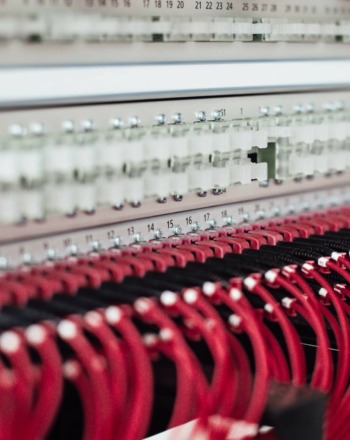
To support multi-gigabit speeds reliably, Cat6A cabling is typically recommended. Older Cat5e can limit performance or introduce instability.
Power (PoE)
Wi-Fi 7 access points often require higher power budgets. Older PoE switches may not be able to drive them, especially in multi-radio configurations.
Backhaul capacity
If your main site connection is running at its limit, even the best Wi-Fi won’t improve real-world performance. A review of external connectivity may be needed.
In short: the wireless upgrade only delivers full value when the wired network can keep up.
When Wi-Fi 7 makes sense
Wi-Fi 7 begins to show real value when networks are:
- supporting high numbers of devices
- reliant on cloud platforms and real-time tools
- dealing with busy office environments, multiple sites or IoT deployments
- planning future growth or technology changes
If your network is already under pressure, or you’re planning an infrastructure refresh, Wi-Fi 7 can be a smart, forward-looking decision.
If your current Wi-Fi performs well and your wired infrastructure is older, there’s no rush. A well-designed Wi-Fi 6 or 6E network can still deliver strong results at a lower cost.
A readiness checklist
Before making the move, it’s worth reviewing:
- your current network performance and pain points
- switch capacity and whether multi-gigabit ports are needed
- cabling quality (Cat6A or better is ideal)
- power availability for new access points
- external bandwidth and backhaul
- device compatibility and refresh cycles
- whether a phased rollout makes more sense than a full replacement
The bottom line
Wi-Fi 7 is a meaningful step forward – but it isn’t something to rush into. The benefits are real, but only when paired with the right underlying infrastructure.
A conversation first is always the best approach. Speak to Glide about how Wi-Fi 7 fits into your network roadmap, what you would need to upgrade, and whether now is the right time to make the move.